

I’ve decided to write this newsletter issue because I found out that some developers jump into the implementation of an MCP-based application without knowing the particularities and the language of its architecture.
In detail, today you will learn:
The goal of an MCP.
Components and responsibilities.
Delivery options.
Before jumping into it, I just wanted to let you know that I am writing another newsletter on how to move from Cloud Native foundations to AI‑powered platforms. There, you will find more details about how to work with AI in the enterprise world. You can subscribe here 👇🏻
Let’s continue now.
🎯 Goal of an MCP
The MCP defines a standardized way for environments and tools (IDEs, CLIs, agents) to request context, such as files, metadata, secrets, telemetry points, policies, etc., from a Context Provider (an agent or service).
This context is used to feed LLMs/Models that perform assistance tasks (autocompletion, test generation, security analysis, etc.) without exposing the entire repository or unnecessary secrets.
🧱 Components and Responsibilities
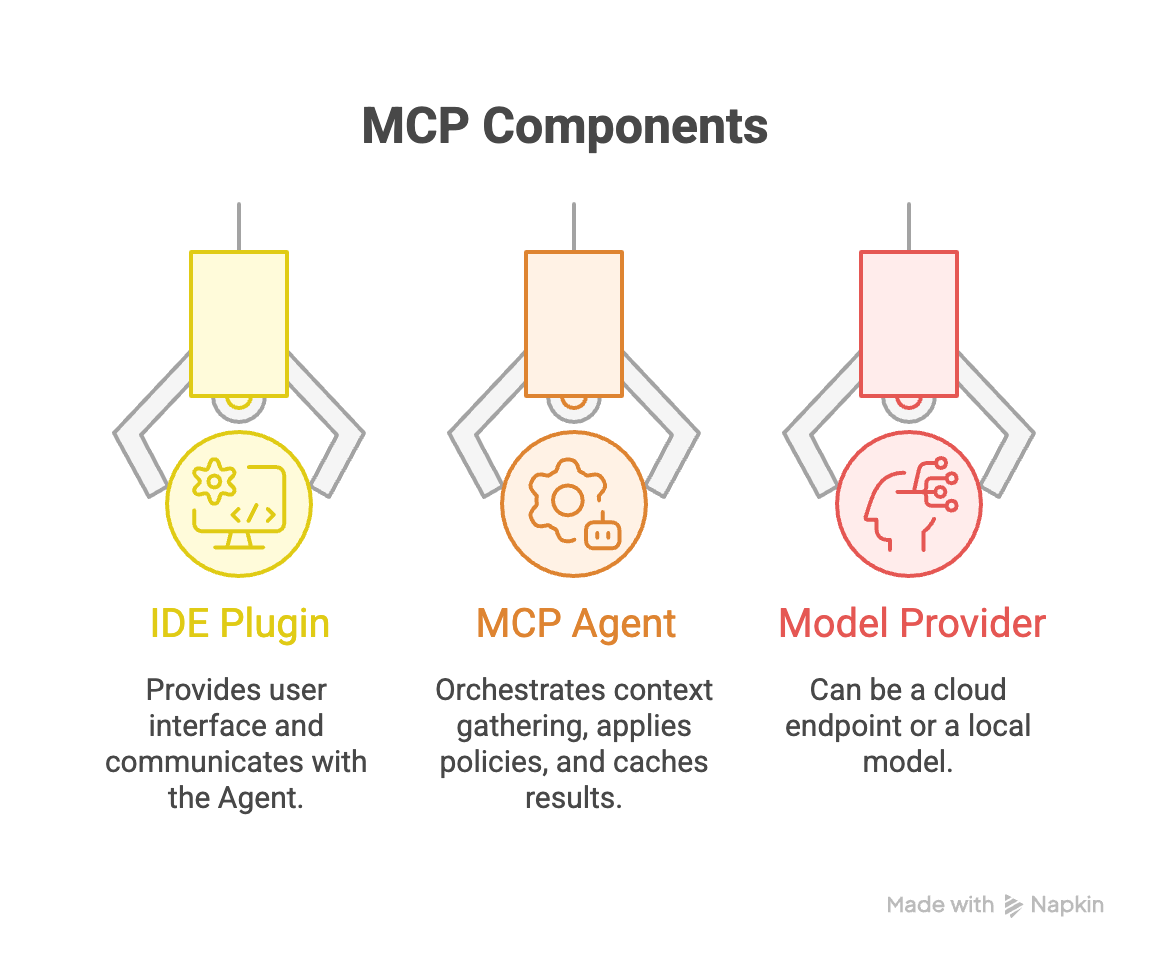
IDE Plugin / MCP Client
User interface, event hooks (cursor, selection), UI for context approval.
Communicates with the Agent via local socket (Unix socket/named pipe) or localhost HTTP/gRPC.
MCP Agent
Orchestrates context gathering (files, git, build graph, dep).
Applies policies, redaction, and minification.
Caches results and maintains provenance history.
Interacts with secret/telemetry providers.
Calls models (local or remote) or forwards the response.
Model Provider / LLM
Can be a cloud endpoint (OpenAI, Anthropic, Azure) or a local model (Llama, Mistral).
The Agent must be able to redirect prompts and enforce size limits.
🚀 Delivery options for MCP servers
At the time of delivering an MCP server, the deployment decision is not just technical. The aspects you have to consider are:
Latency.
Security.
Developer experience.
Operating costs.
Governance.
The main options are discussed in more detail below.
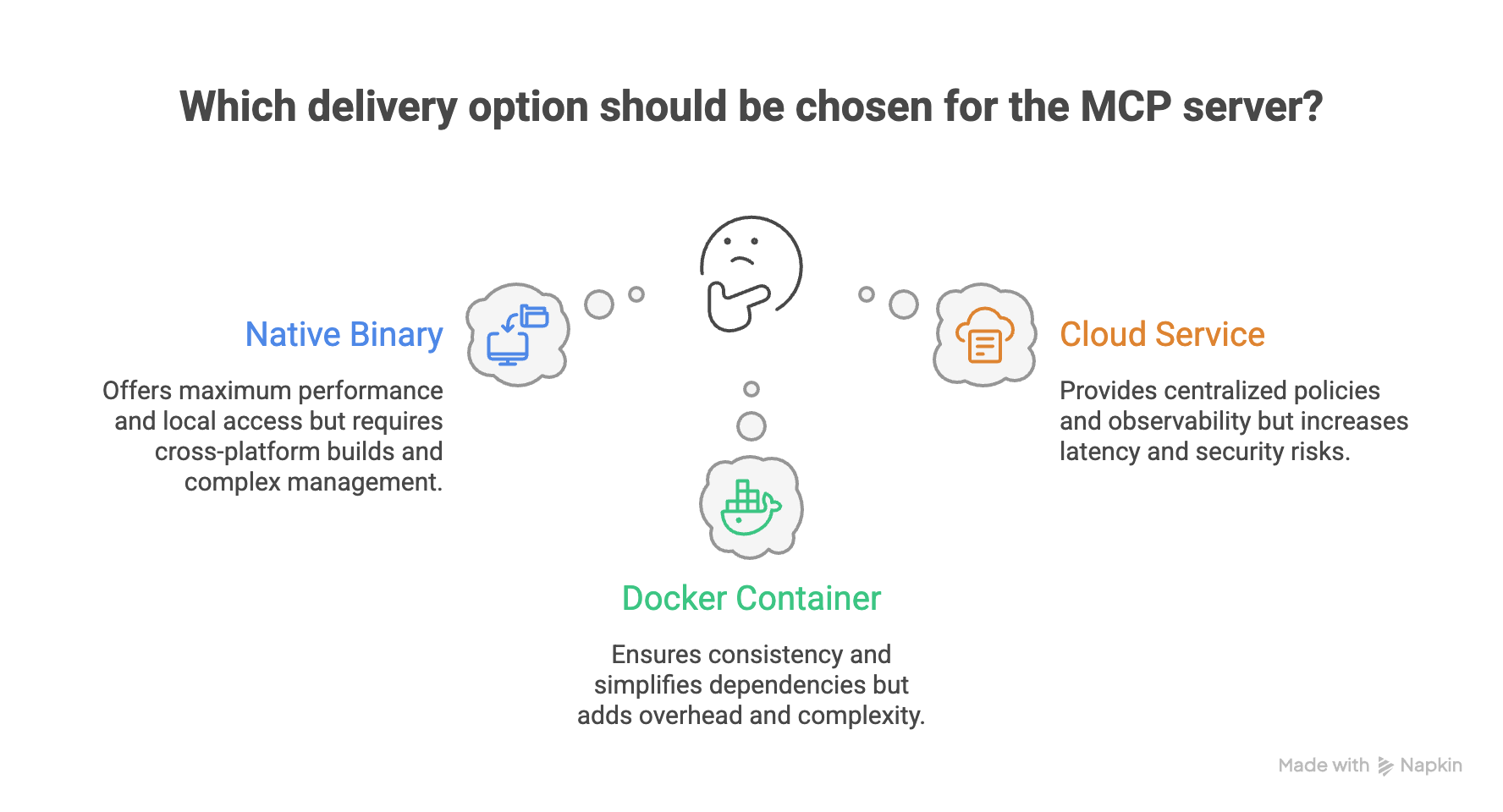
Native Binary
An executable that the developer installs locally and that runs as a system process.
Advantages:
Maximum performance and low resource consumption.
Direct access to the filesystem, Unix sockets, and OS resources.
Immediate startup (no cold start).
Better integration with IDEs and local tools.
Disadvantages:
Need for cross-platform builds (Mac, Windows, Linux).
More complex version and upgrade management.
Distribution and binary signing require a robust pipeline.
When to choose it:
Teams with a strong focus on Developer Experience.
Need for minimal latency.
Environments where local access to the repository is critical.
Docker Container
The Agent runs as a Docker container locally.
Advantages:
Full consistency across operating systems.
Simplifies Agent dependencies and libraries.
Easy versioning (image tags).
Compatible with enterprise environments where Docker is already standard.
Disadvantages:
Additional containerization overhead.
Volume permission management (can be tricky).
Slightly more complex UX (requires an active Docker container).
I personally don’t find these advantages really critical, but I wanted to add them from an objective point of view.
When to choose it:
If all developers already use Docker.
If you want to minimize “works on my machine” issues.
Cloud Service
The Agent runs as a shared service (internal or external SaaS). Clients connect remotely.
Advantages:
Centralized policies and drafting.
Unified observability.
Easy to implement RBAC and auditing.
No complex local installation required.
Disadvantages:
Higher latency (network round-trip times).
Privacy risks if the context contains sensitive code.
Greater security complexity (TLS, IAM, isolation).
When to choose it:
Large organizations with compliance needs.
Globally distributed teams.
When strict traceability is required.
✨ Summary
In today’s email, you get an overview of the MCP server, its architecture, and the best approaches to deliver it to your customers.
Architecturally, a typical MCP-based application has three clear building blocks:
The IDE plugin/client (UI hooks and event triggers).
The MCP Agent (context gathering, policy enforcement, redaction, caching, and orchestration).
The Model Provider (local or cloud-based models).
Each component has distinct but complementary responsibilities.
Choose wisely the way to deliver your MCP. Nowadays, delivering MCP servers via Docker is my preferred choice because it offers a good balance between performance and version management.
I would love to hear about your experiences implementing MCP servers. Reply to this email or put a comment in Substack.
Thanks for your support and feedback, I really appreciate it!
You’re the best! 🖖🏼
𝘐𝘧 𝘺𝘰𝘶 𝘦𝘯𝘫𝘰𝘺𝘦𝘥 𝘵𝘩𝘪𝘴 𝘱𝘰𝘴𝘵, 𝘵𝘩𝘦𝘯 𝘤𝘭𝘪𝘤𝘬 𝘵𝘩𝘦 💜. 𝘐𝘵 𝘩𝘦𝘭𝘱𝘴!
𝘐𝘧 𝘺𝘰𝘶 𝘬𝘯𝘰𝘸 𝘴𝘰𝘮𝘦𝘰𝘯𝘦 𝘦𝘭𝘴𝘦 𝘸𝘪𝘭𝘭 𝘣𝘦𝘯𝘦𝘧𝘪𝘵 𝘧𝘳𝘰𝘮 𝘵𝘩𝘪𝘴, ♻️ 𝘴𝘩𝘢𝘳𝘦 𝘵𝘩𝘪𝘴